Validate a form
Goal
Check the values you entered against the form's own field rules before you test anything against the server. Validate form runs in your browser and sends nothing.
Before you start
- Open a program and the form you want to check. See Find and open a program.
- Enter some values. You don't need an organisation unit for this check.
Steps
- Fill in the form as you want to test it.
- Select Validate form under the fields.
- Read the notice that appears above the form buttons.
- If the notice lists fields, select a field name to jump to it, fix the value, and select Validate form again.
What you'll see
Validate form checks every field in the form against its metadata only:
- the value type, for example a number, a date or a phone number
- whether the field is compulsory in the metadata
- whether the value is one of the field's options
- any minimum or maximum the field has
It checks fields that a rule hid, too. It does not use the results of your program rules: a field that shows a rule error (a SHOWERROR action) and an empty field that a rule made mandatory (a SETMANDATORYFIELD action) don't count as issues. To see those, look at the field badges and the text under each field, see Read field badges and hidden-field placeholders, or check the Rules tab of the rules panel, see Find out why a rule did or didn't fire.
The form also checks a field when you leave it, so you may see field errors before you select Validate form.
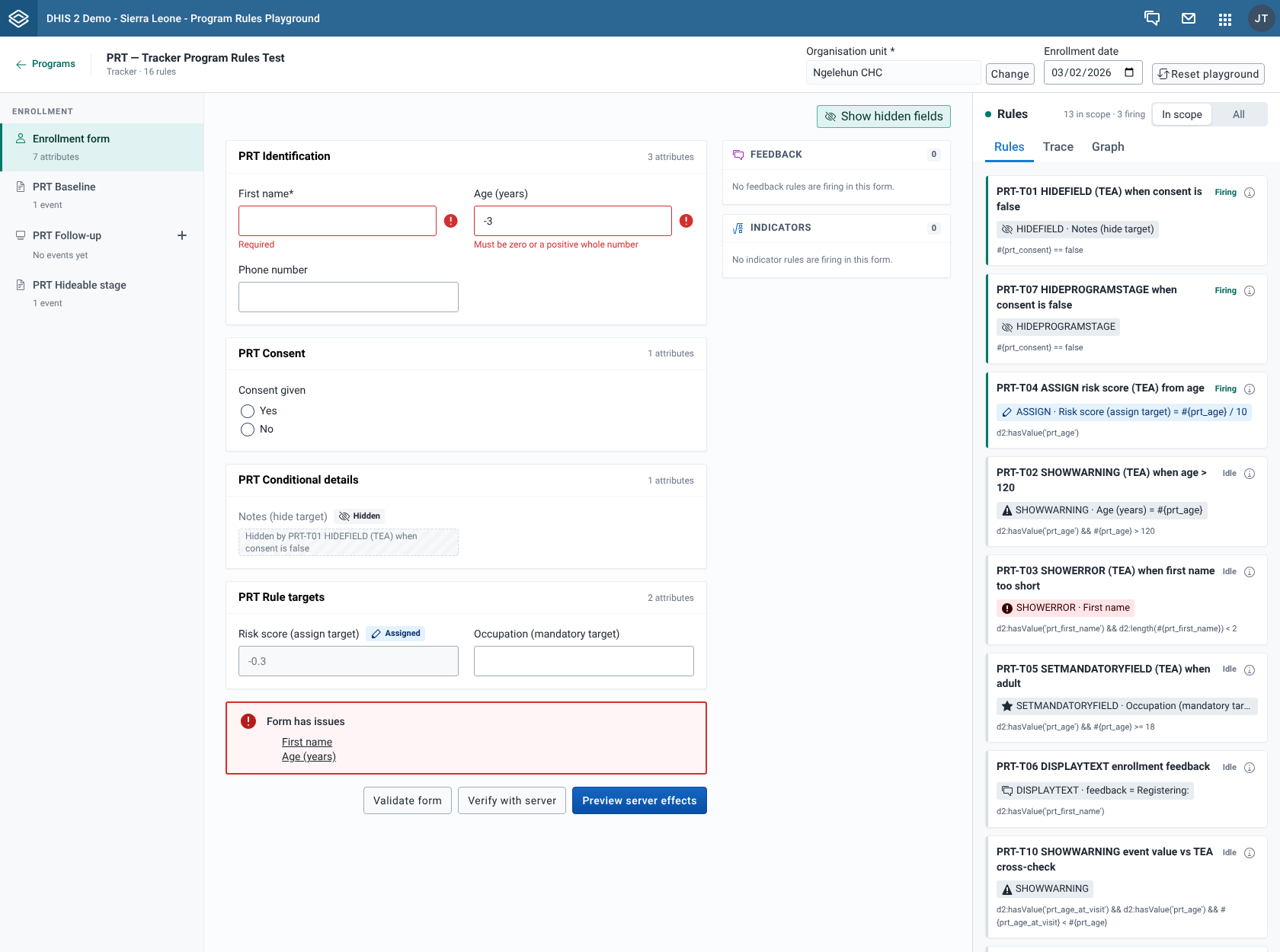
The notice shows one of three results:
| Notice | What it means |
|---|---|
| Form is valid, "No validation issues were found." | Every field passed. |
| Form has issues | One or more fields failed a metadata check. The notice lists them by label, each as a link. Selecting a link scrolls to the field and puts the cursor in it. Keyboard focus moves to the notice when it appears. |
| Could not validate the form | The check itself failed. The notice shows the error message. |
If you haven't selected an organisation unit, the Organisation unit field in the context bar shows "Required to verify or save". This is only a reminder for Verify with server. Validate form still runs.